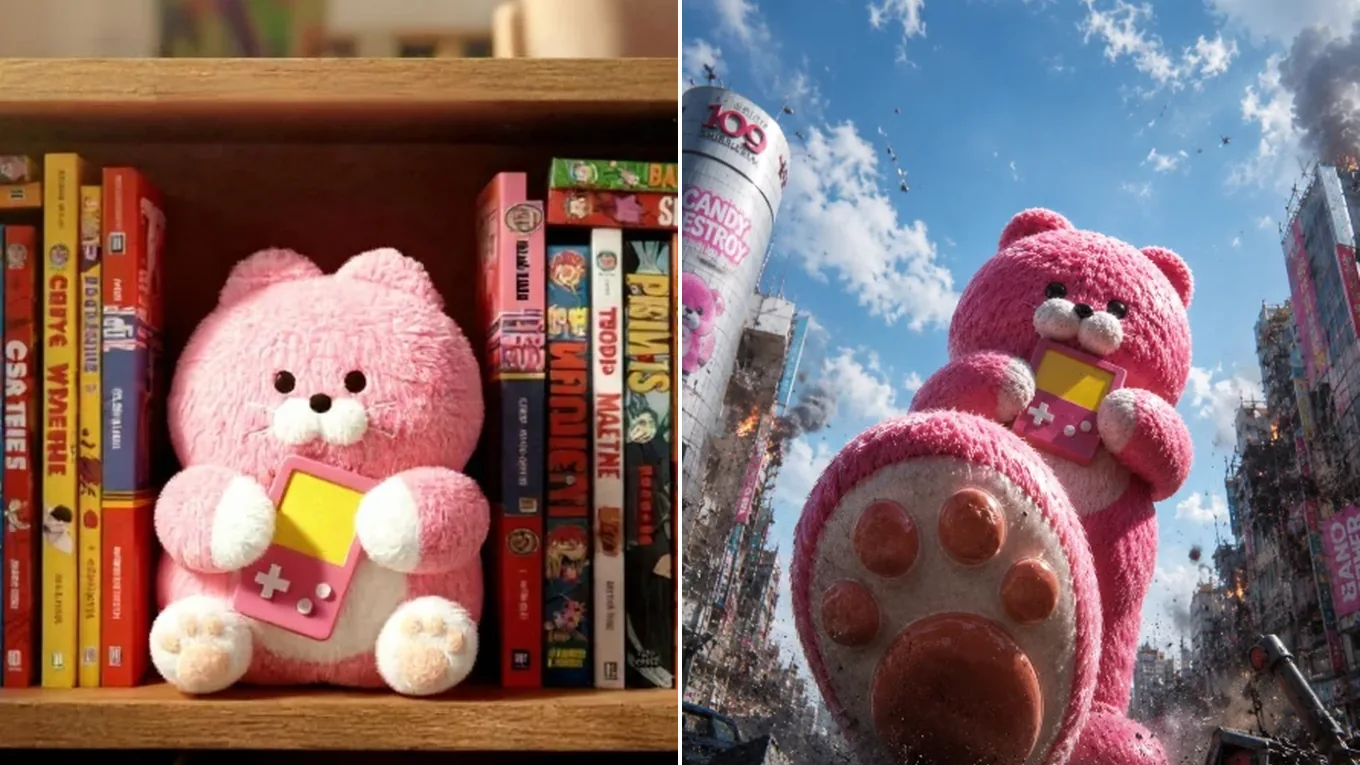
Source photoAI output
Scale Shift
Turn a bookshelf plush into a city-sized movie monster
Keeps the pink fur, round face, paw pads, and the handheld game console, while the shelf becomes a cinematic street scene seen from below.
Powered by Google's fast multimodal image architecture, Nano Banana 2 is built for combining up to 14 reference photos into a single coherent scene while keeping each person's face, expression, and lighting recognizable.
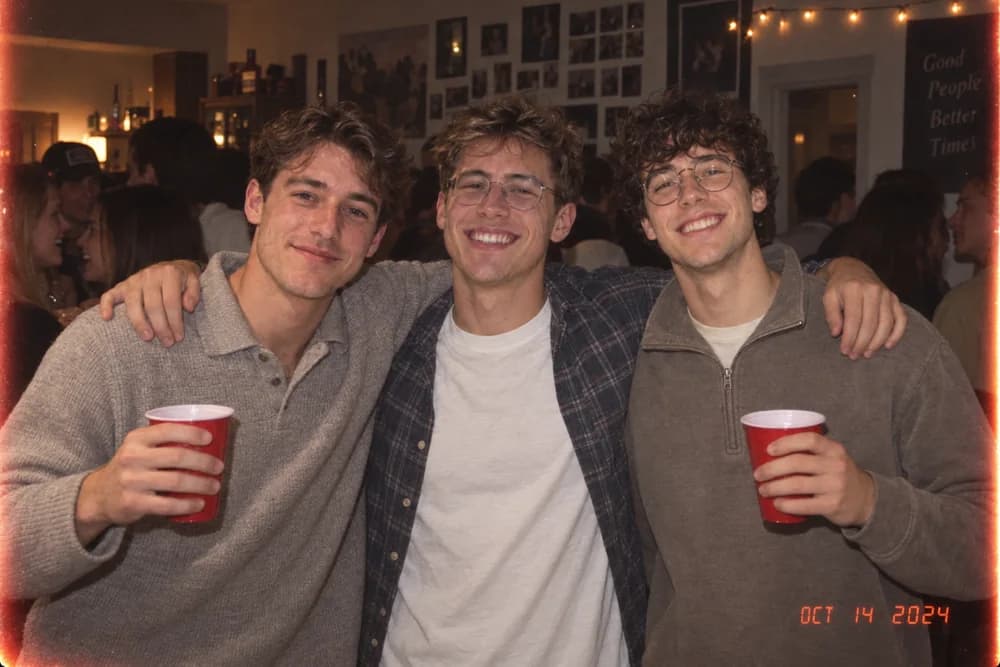
3 Reference Portraits
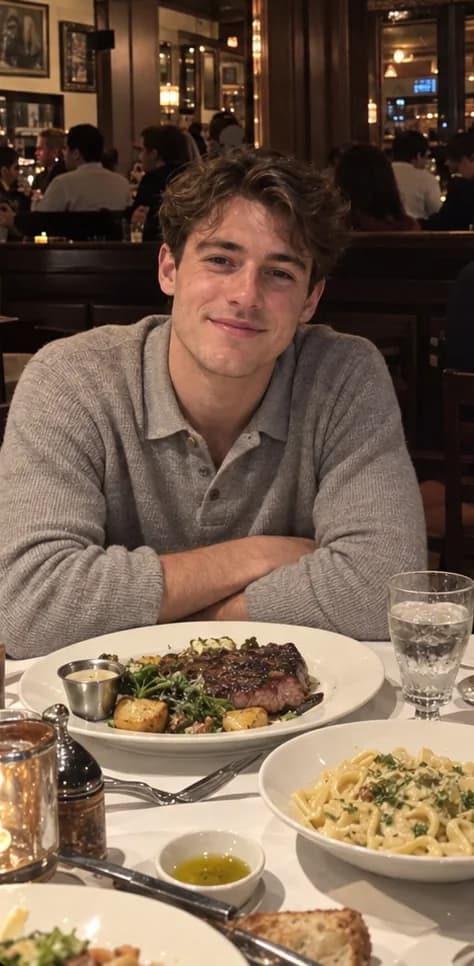
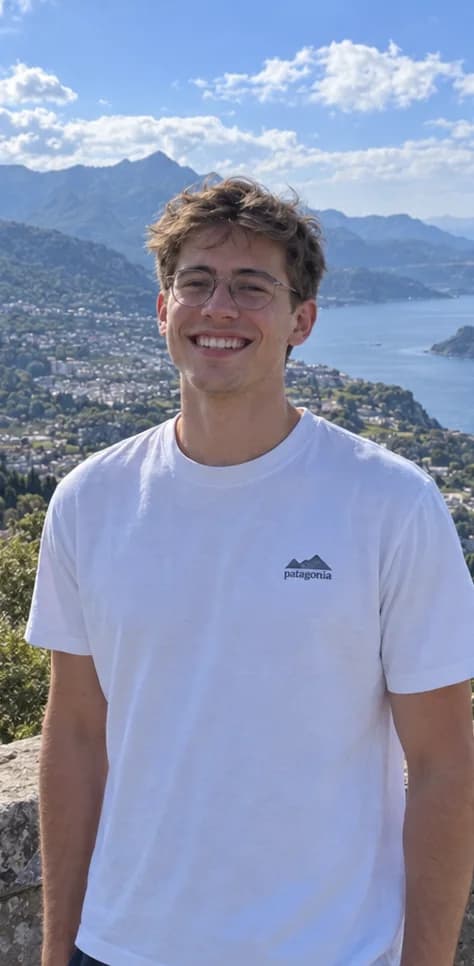
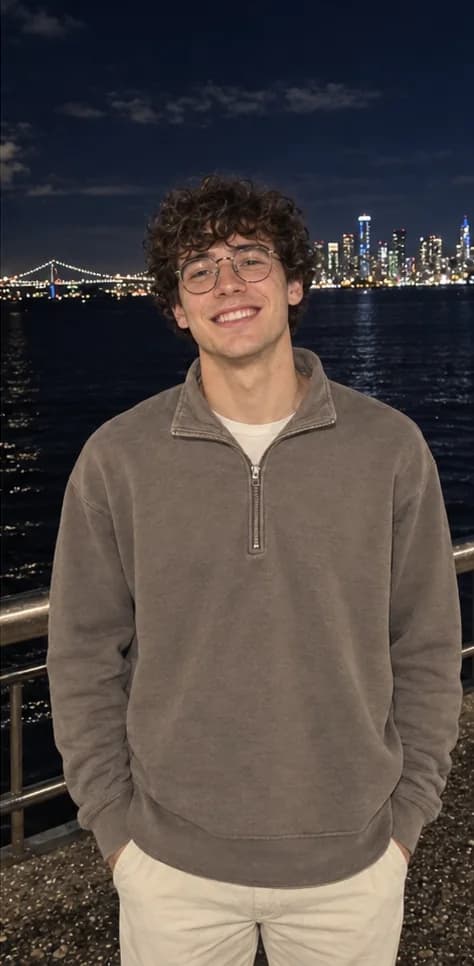
Nano Banana 2 Image-to-Image
Upload your photo once, pick Nano Banana 2, GPT Image 2.5, Qwen Image Edit, or Seedream 5.0 in the model selector, and compare outputs directly.
Nano Banana 2 Visual Showcase
Explore real reference-to-output transformations demonstrating scale shifts, multi-person scene fusion, and 3D social card restyling.
Keeps the pink fur, round face, paw pads, and the handheld game console, while the shelf becomes a cinematic street scene seen from below.
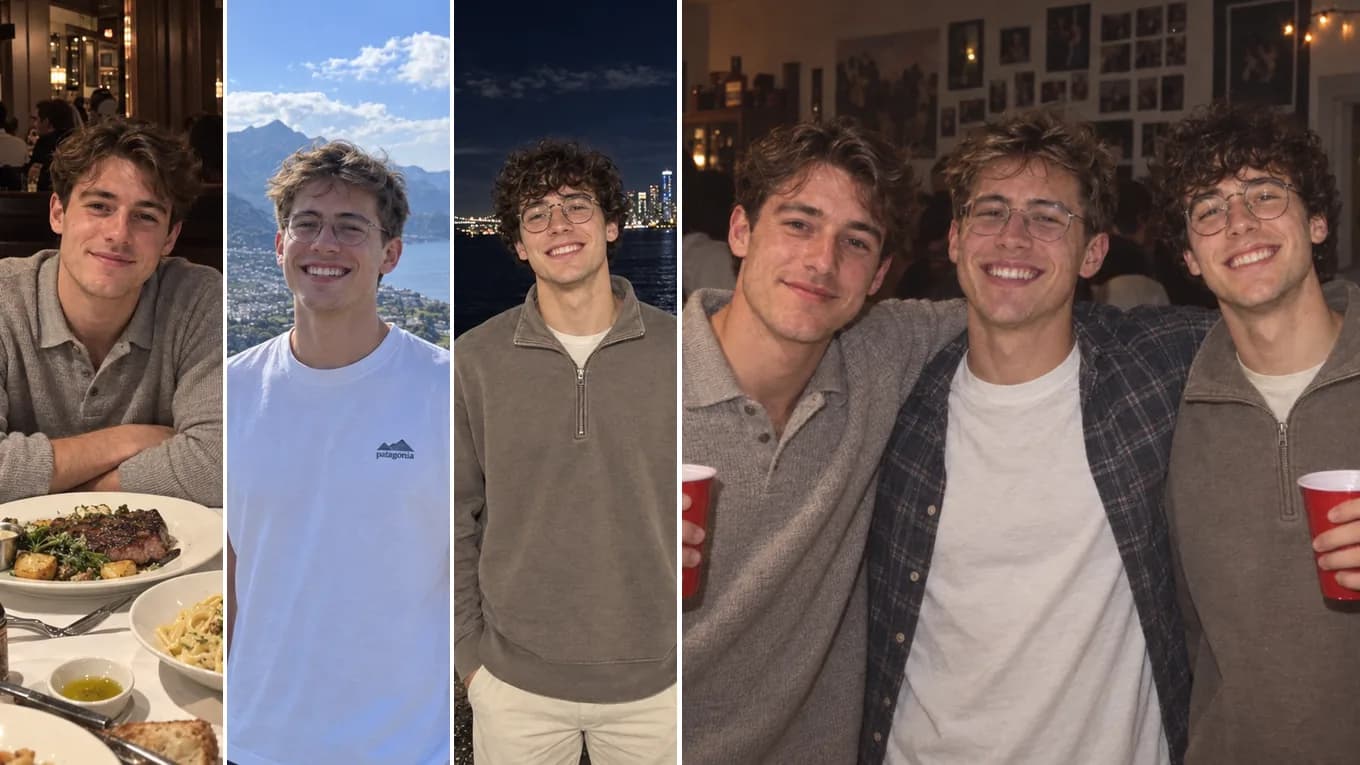
Preserves each subject's facial structure, hairstyle, and personality while synthesizing unified indoor party lighting.
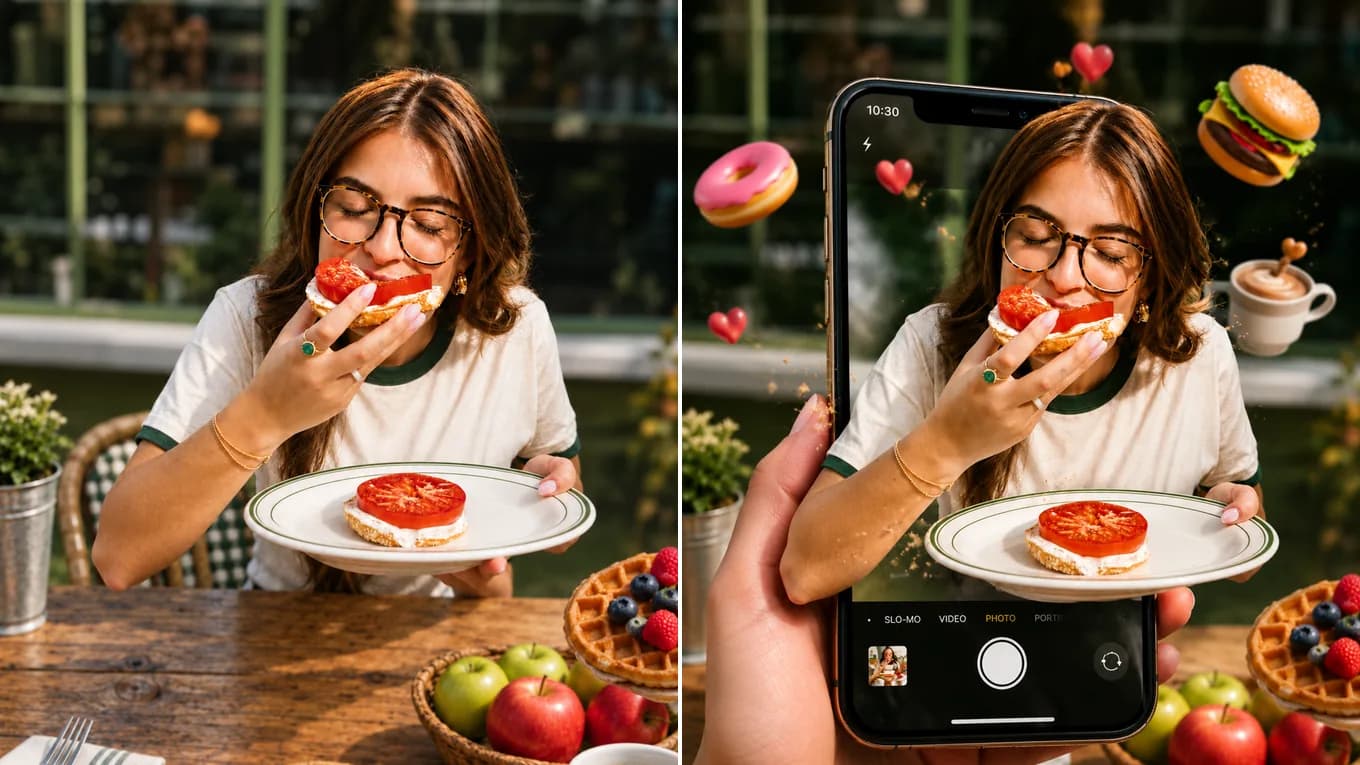
Places the photo on a phone camera screen and lets the subject and her plate break out past the edge, keeping her face, glasses, and top.
Nano Banana 2 Workflow
Follow these four steps when running single-image edits or multi-reference fusions.
Select Nano Banana 2 in the studio and upload clear front- or three-quarter-angle photos of each subject or object you want to combine.
State clearly that the people or products from the uploaded images must keep their exact facial features, logos, or proportions.
Specify where the subjects are located, how they interact, and the unified lighting direction.
Start at 1K for fast composition checks, then switch to 2K or 4K once you are happy with the pose and facial likeness.
Reviewed byImg2Img Product Team
Published / Updated /
ReferencesOpenAI Image Generation GuideGoogle Gemini Image Generation Docs
Nano Banana 2 Prompt Recipes
Click any prompt below to pre-fill the studio workspace.
Combine the people from the uploaded reference photos into a single warm café group portrait sitting at a wooden table, preserving each person's exact facial identity, glasses, and hairstyle.
Works best with 2–4 well-lit portrait uploads.
Keep the exact person from reference image 1 and the exact perfume bottle from reference image 2. Show the person holding the bottle in soft morning window light with shallow depth of field.
Anchors both the model's identity and the product packaging.
Keep the exact face, pose, and outfit from the uploaded photo. Change the lighting to warm golden-hour sunlight with soft rim light on the hair and a blurred sunset city background.
Fast single-reference atmospheric edit.
Explore Workflows & Models
Interior redesign, commercial product scenes, complex prompt-guided restyling
Targeted hair/outfit edits, vintage photo restoration, sign & packaging text edits
Ink-wash & anime restyling, high-fashion editorial portraits, 4K visual campaigns
Commercial advertising, brand packaging preservation, architectural concept design
Viral social media cards, 3D pop-out framing, bold retro pixel-art transformations
Edit photos with natural language prompts using our free AI image editor. Restore old photos, change outfits, relight portraits, and swap product scenes while keeping the original composition.
Convert any photo to pencil sketch, charcoal drawing, ink-wash painting, or manga line art online with AI, keeping the likeness, pose, and composition recognizable.
Restore damaged, scratched, and faded vintage photos online with AI. Remove paper creases, glare, and tears while colorizing monochrome portraits with natural skin tones.
Remove unwanted facial shadows, background glare, and hard lighting shadows from photos online with AI. Relight portraits and product shots while keeping the original subject recognizable.
Remove Instagram, TikTok, and oversaturated color filters from photos online with AI. Neutralize warm orange and magenta color casts to restore authentic skin tones and clean lighting.
Remove watermarks, logos, timestamps, and unwanted text from photos online with AI. Seamlessly reconstruct hidden background textures without blur.
Expand photos and uncrop images beyond their original borders online with AI. Extend vertical 9:16 portraits to 16:9 widescreen wallpapers with seamless continuity.
Nano Banana 2 FAQ
Key details on reference image limits, resolution options, and ideal workflows.
Nano Banana 2 is a fast multimodal image-to-image model designed for editing existing photos and combining up to 14 reference images—such as merging separate portraits into a group scene or pairing a product with a background reference.
Pick Nano Banana 2 when one result has to combine several reference photos, such as people from separate shots in one group scene. For a single local change like hair color or sign text, Qwen Image Edit is usually more targeted; for a full style change, try Seedream 5.0.
Nano Banana 2 starts at 11 credits per image. The studio shows the estimate for your settings before you generate, and failed generations return the credits.
You can upload between 1 and 14 reference images (up to 10 MB per image) in PNG, JPEG, or WebP format.
Nano Banana 2 supports 1K, 2K, and 4K resolutions and flexible aspect ratios ranging from 1:1, 4:3, and 16:9 to ultra-wide 21:9.
Nano Banana 2 is stronger when merging multiple reference images into a new scene, whereas Qwen Image Edit specializes in surgical single-image modifications and text replacement.