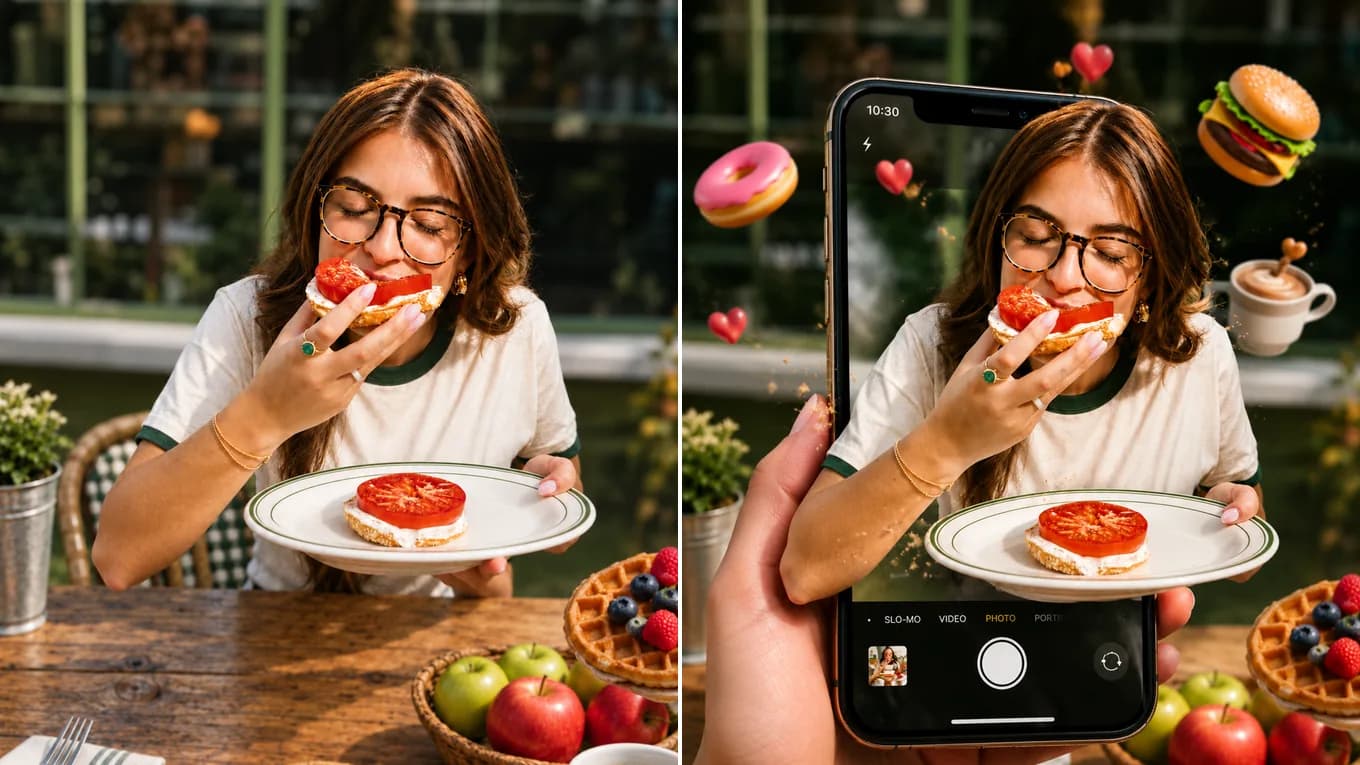
Source photoAI output
3D Pop-Out Frame
Café snapshot breaks out of a phone screen
The subject and her plate lean out past the phone frame into the real scene; face, glasses, and top stay recognizable.
Powered by xAI's visual intelligence engine, Grok Imagine AI breaks creative boundaries—transforming standard photos into 3D pop-out social concepts, retro pixel worlds, and bold fine-art illustrations.
Original Portrait SnapshotGrok 3D Pop-Out ArtworkGrok Imagine AI Workspace
Upload your photo once, pick Nano Banana 2, GPT Image 2.5, Qwen Image Edit, or Seedream 5.0 in the model selector, and compare outputs directly.
Grok Imagine AI Visual Showcase
See how Grok Imagine reimagines portraits into 3D social profile cards, pixel games, and stylized ink art.
The subject and her plate lean out past the phone frame into the real scene; face, glasses, and top stay recognizable.
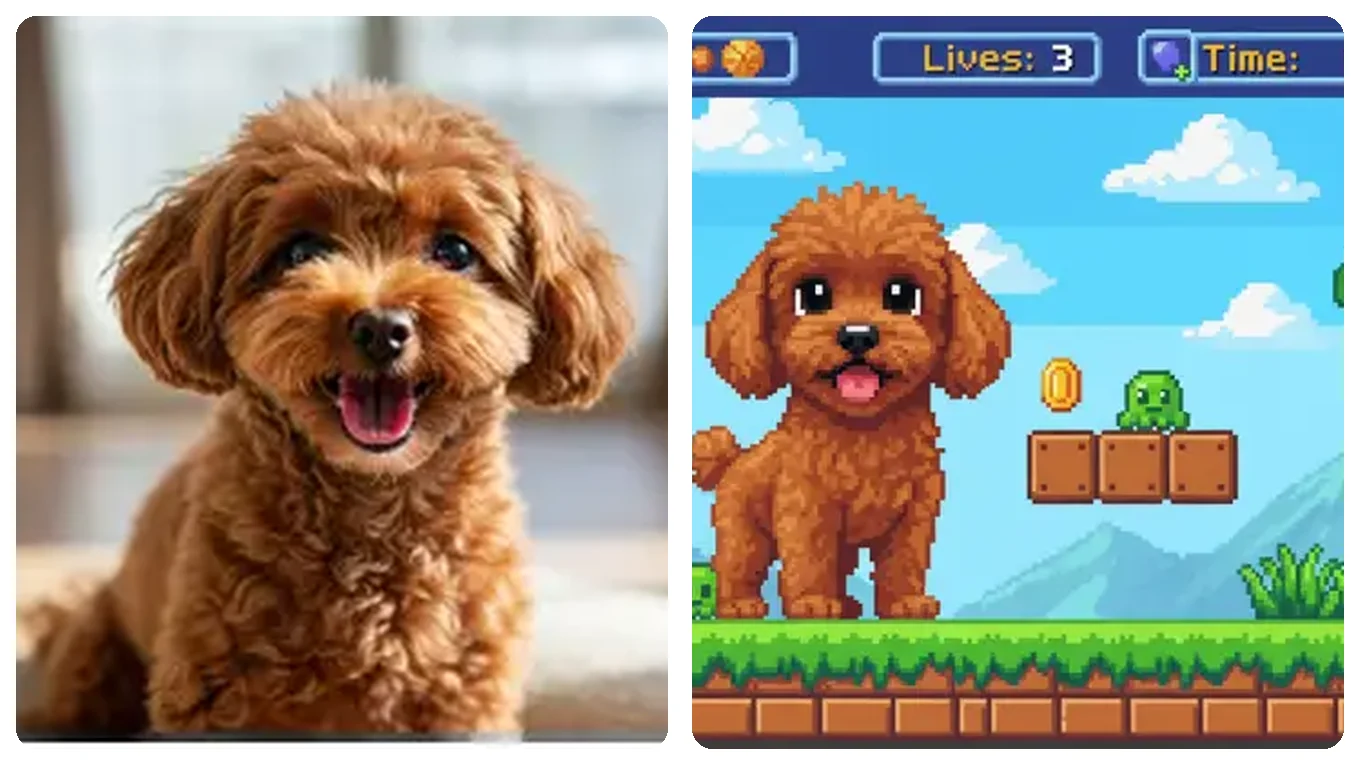
Translates pet marking and happy pose into colorful pixel sprites.
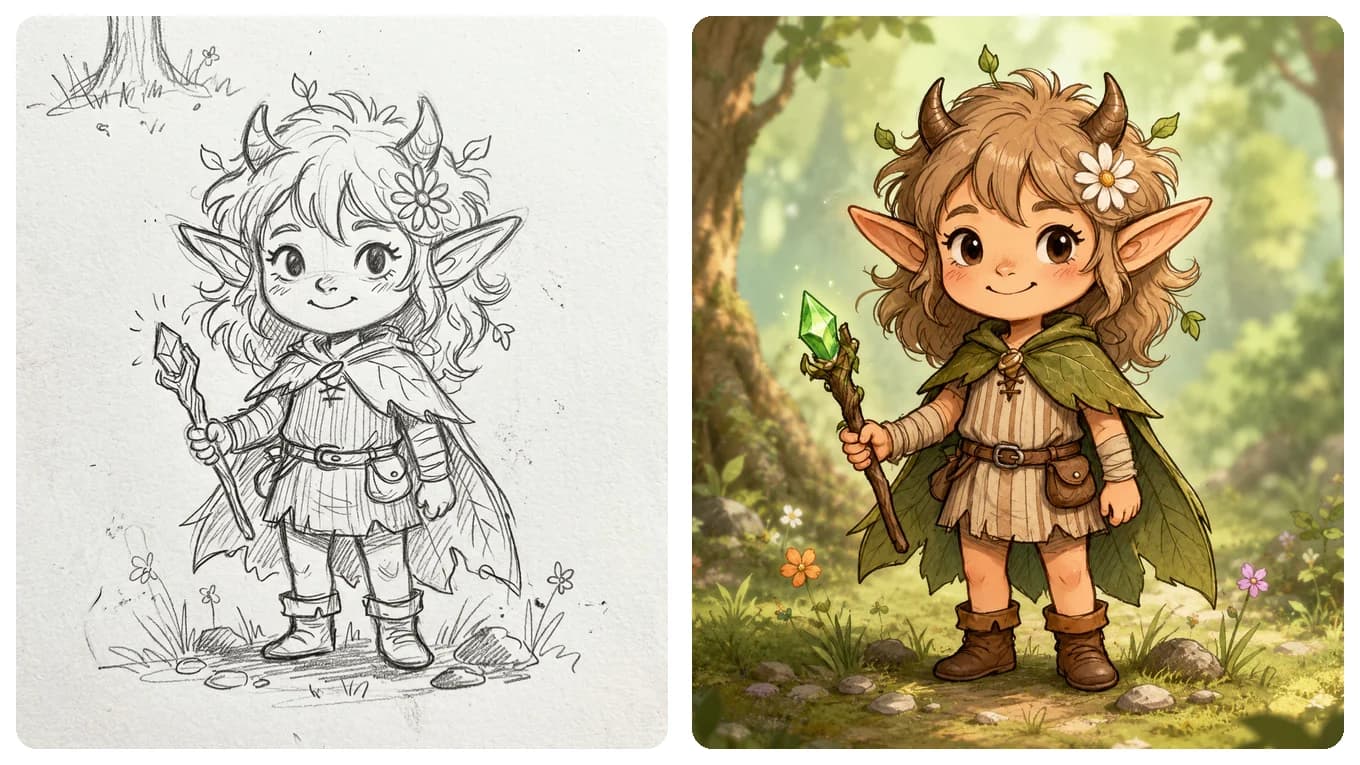
Keeps the drawn pose, horns, and staff, then adds painted color and a sunlit forest background.
Grok Imagine Workflow
Four steps to bold, creative image-to-image restyling.
Select Grok Imagine Quality in the studio and upload a character, pet, or street photo.
Lock key identifiers: 'keep the subject's smile, sunglasses, and hair style recognizable'.
Dare to specify breakthrough ideas like '3D pop-out torn paper frame' or 'retro 16-bit arcade screen'.
Export in 1:1 square or 9:16 vertical for immediate Instagram, TikTok, or X sharing.
Reviewed byImg2Img Product Team
Published / Updated /
ReferencesOpenAI Image Generation GuideGoogle Gemini Image Generation Docs
Grok Imagine Prompts
Load any formula directly into the studio workspace.
Transform this portrait into a 3D pop-out social media frame where the subject leans out through a torn paper border, keeping the exact face, sunglasses, and outfit.
A playful format for profile avatars and social posts.
Transform this photo into a vibrant 16-bit retro pixel-art video game platformer scene while keeping the subject's exact pose and cheerful expression.
Great for gaming avatars and retro posters.
Convert this photo into a handmade claymation figurine on a wooden tabletop with visible fingerprint textures and studio spotlight.
Creates whimsical tactile toy collectibles.
Explore Workflows & Models
Multi-person portrait fusion, character consistency, rapid conversational photo edits
Interior redesign, commercial product scenes, complex prompt-guided restyling
Targeted hair/outfit edits, vintage photo restoration, sign & packaging text edits
Ink-wash & anime restyling, high-fashion editorial portraits, 4K visual campaigns
Commercial advertising, brand packaging preservation, architectural concept design
Edit photos with natural language prompts using our free AI image editor. Restore old photos, change outfits, relight portraits, and swap product scenes while keeping the original composition.
Convert any photo to pencil sketch, charcoal drawing, ink-wash painting, or manga line art online with AI, keeping the likeness, pose, and composition recognizable.
Restore damaged, scratched, and faded vintage photos online with AI. Remove paper creases, glare, and tears while colorizing monochrome portraits with natural skin tones.
Remove unwanted facial shadows, background glare, and hard lighting shadows from photos online with AI. Relight portraits and product shots while keeping the original subject recognizable.
Remove Instagram, TikTok, and oversaturated color filters from photos online with AI. Neutralize warm orange and magenta color casts to restore authentic skin tones and clean lighting.
Remove watermarks, logos, timestamps, and unwanted text from photos online with AI. Seamlessly reconstruct hidden background textures without blur.
Expand photos and uncrop images beyond their original borders online with AI. Extend vertical 9:16 portraits to 16:9 widescreen wallpapers with seamless continuity.
Grok Imagine FAQ
Why creators choose Grok Imagine for bold viral imagery.
Grok Imagine AI is celebrated for high creative freedom—pushing beyond subtle filters to invent dynamic 3D pop-outs, pixel game sprites, and whimsical tactile art while respecting subject identity.
Pick Grok Imagine AI for playful, high-concept restyles such as 3D pop-outs or pixel-game scenes, where a bold departure from the photo is the point. If the result must stay close to the original, Qwen Image Edit or Flux Kontext is the safer choice.
Grok Imagine AI starts at 9 credits per image. The studio shows the estimate for your settings before you generate, and failed generations return the credits.
Usually, yes. Name what must stay, such as your smile, hairstyle, glasses, and outfit, in the prompt. Likeness can still shift slightly, so compare the result with your photo before sharing.
Absolutely. Converting pet snapshots into pixel-art video game characters or clay figurines is one of its most popular uses.
Accepts PNG, JPEG, and WebP files up to 10 MB per image and up to 8,192 pixels.