Source photoAI output
Interior Redesign
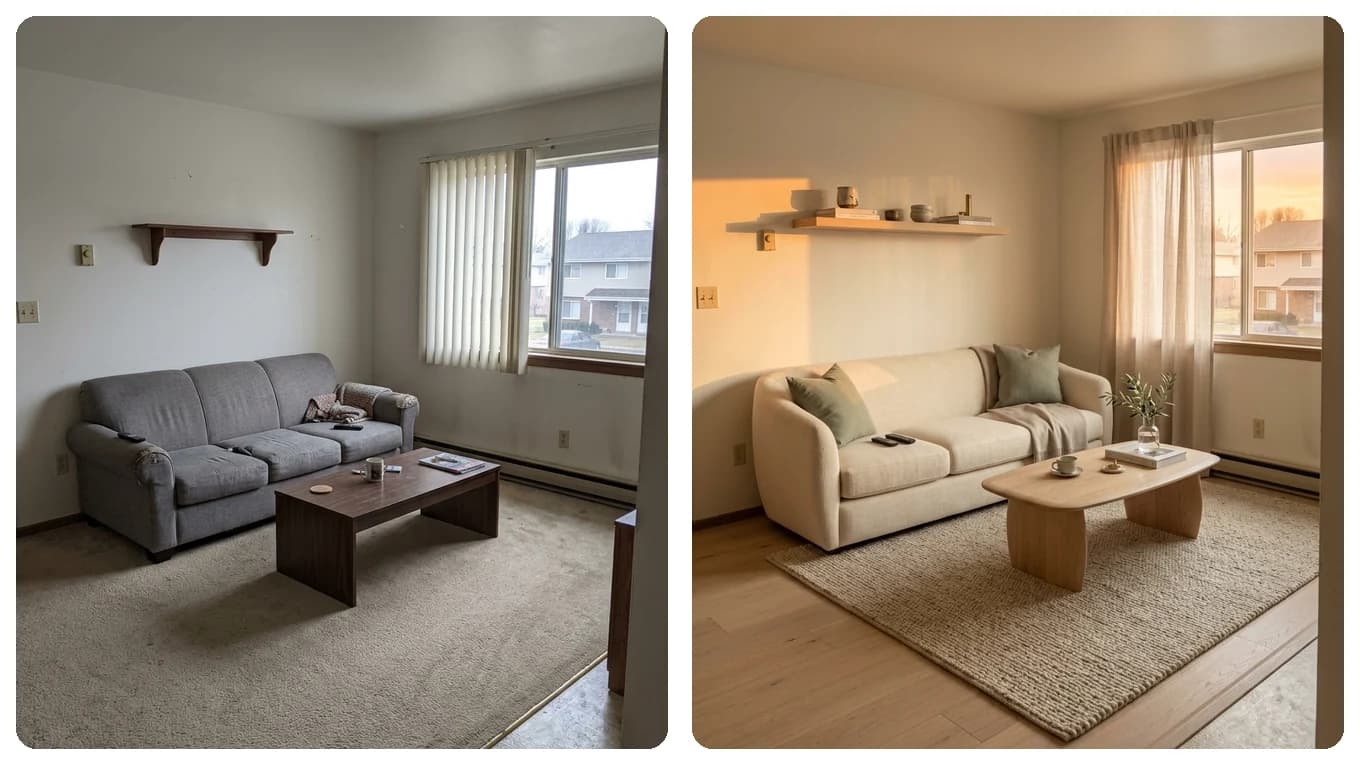
Empty room to warm Scandinavian living space
Keeps the wall corners, window frames, and floor perspective while adding oak furniture, a woven rug, and soft daylight.
Built for nuanced natural-language comprehension, GPT Image 2.5 translates detailed multi-part instructions into accurate scene redesigns, product campaigns, and portrait lighting transformations.
Original Empty Living RoomGPT Image 2.5 Interior RedesignGPT Image 2.5 Workspace
Upload your photo once, pick Nano Banana 2, GPT Image 2.5, Qwen Image Edit, or Seedream 5.0 in the model selector, and compare outputs directly.
GPT Image 2.5 Visual Showcase
See how GPT Image 2.5 handles spatial perspective, portrait lighting, and stylized game world conversion.
Keeps the wall corners, window frames, and floor perspective while adding oak furniture, a woven rug, and soft daylight.
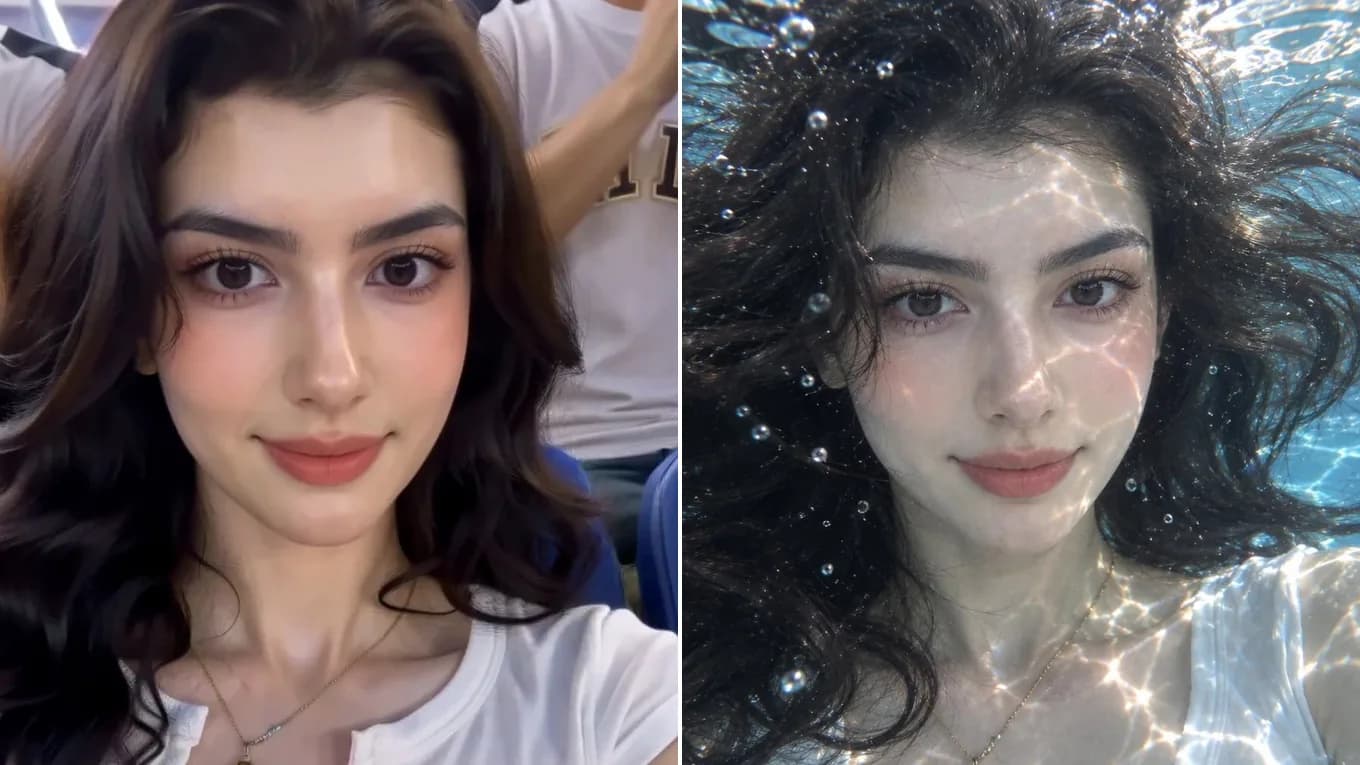
Follows a multi-part scene instruction, with caustic light, floating hair, and bubbles, while keeping the face, necklace, and white top.
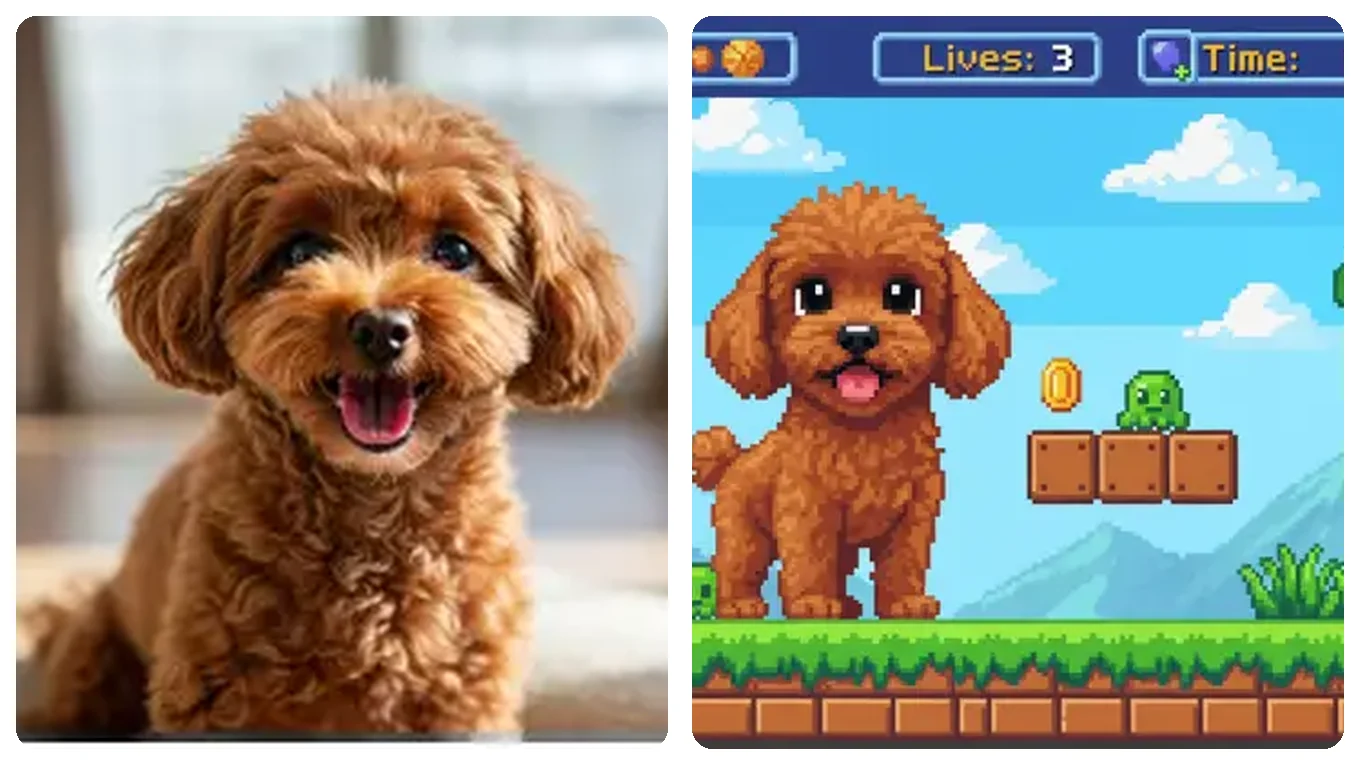
Converts a real dog photo into a cohesive retro pixel-art platformer scene with readable sprite details.
GPT Image 2.5 Workflow
Take advantage of GPT Image 2.5's deep language understanding with structured prompts.
Upload your primary room, product, or portrait photo (up to 10 MB per file).
Explicitly list what cannot move: architectural walls, camera angle, product label, or facial identity.
GPT Image 2.5 excels when you specify concrete materials (brushed brass, bouclé fabric, warm tungsten light) rather than vague buzzwords.
Leave the aspect ratio on Auto to follow your photo, or pick a ratio that matches its orientation to avoid unwanted cropping. Raise the resolution to 2K or 4K when you need more detail.
Reviewed byImg2Img Product Team
Published / Updated /
ReferencesOpenAI Image Generation GuideGoogle Gemini Image Generation Docs
GPT Image 2.5 Prompt Recipes
Load any recipe into the studio to test GPT Image 2.5.
Keep the exact room dimensions, windows, flooring, and camera angle from the uploaded photo. Stage the room as a modern minimalist living area with a low-profile linen sectional, walnut credenza, and warm afternoon sunlight.
Ideal for real estate staging and interior moodboards.
Keep the uploaded product's exact shape, proportions, and printed label unchanged. Place it on a wet dark slate surface surrounded by natural botanical shadows and warm directional key light.
Preserves brand packaging while upgrading the environment.
Keep the exact pose, glasses, and expression from the source portrait. Convert the image into a warm hand-inked storybook illustration with textured watercolor washes and crisp pen outlines.
Balances character likeness with stylized brushwork.
Explore Workflows & Models
Multi-person portrait fusion, character consistency, rapid conversational photo edits
Targeted hair/outfit edits, vintage photo restoration, sign & packaging text edits
Ink-wash & anime restyling, high-fashion editorial portraits, 4K visual campaigns
Commercial advertising, brand packaging preservation, architectural concept design
Viral social media cards, 3D pop-out framing, bold retro pixel-art transformations
Edit photos with natural language prompts using our free AI image editor. Restore old photos, change outfits, relight portraits, and swap product scenes while keeping the original composition.
Convert any photo to pencil sketch, charcoal drawing, ink-wash painting, or manga line art online with AI, keeping the likeness, pose, and composition recognizable.
Restore damaged, scratched, and faded vintage photos online with AI. Remove paper creases, glare, and tears while colorizing monochrome portraits with natural skin tones.
Remove unwanted facial shadows, background glare, and hard lighting shadows from photos online with AI. Relight portraits and product shots while keeping the original subject recognizable.
Remove Instagram, TikTok, and oversaturated color filters from photos online with AI. Neutralize warm orange and magenta color casts to restore authentic skin tones and clean lighting.
Remove watermarks, logos, timestamps, and unwanted text from photos online with AI. Seamlessly reconstruct hidden background textures without blur.
Expand photos and uncrop images beyond their original borders online with AI. Extend vertical 9:16 portraits to 16:9 widescreen wallpapers with seamless continuity.
GPT Image 2.5 FAQ
Learn when to pick GPT Image 2.5 over other models in the workspace.
GPT Image 2.5 uses multimodal language-vision understanding, allowing it to follow complex, multi-sentence instructions (such as changing specific furniture pieces while keeping room windows and lighting direction intact) without manual masks.
Pick GPT Image 2.5 when the prompt carries several instructions that all need to land, such as furnishing a room while keeping its windows, or changing the scene and the light in one pass. For a quick single-attribute edit, Qwen Image Edit is often enough.
GPT Image 2.5 starts at 4 credits per image. The studio shows the estimate for your settings before you generate, and failed generations return the credits.
GPT Image 2.5 variants in our studio support up to 16 reference images per generation.
Leave the aspect ratio on Auto to follow your source photo, or choose a fixed ratio such as 1:1, 3:4, or 16:9 that matches it. Resolution is a separate setting with 1K, 2K, and 4K options; higher resolutions use more credits.
Yes. It is one of the strongest models for virtual home staging and commercial product placement because it respects 3D perspective and lighting physics.