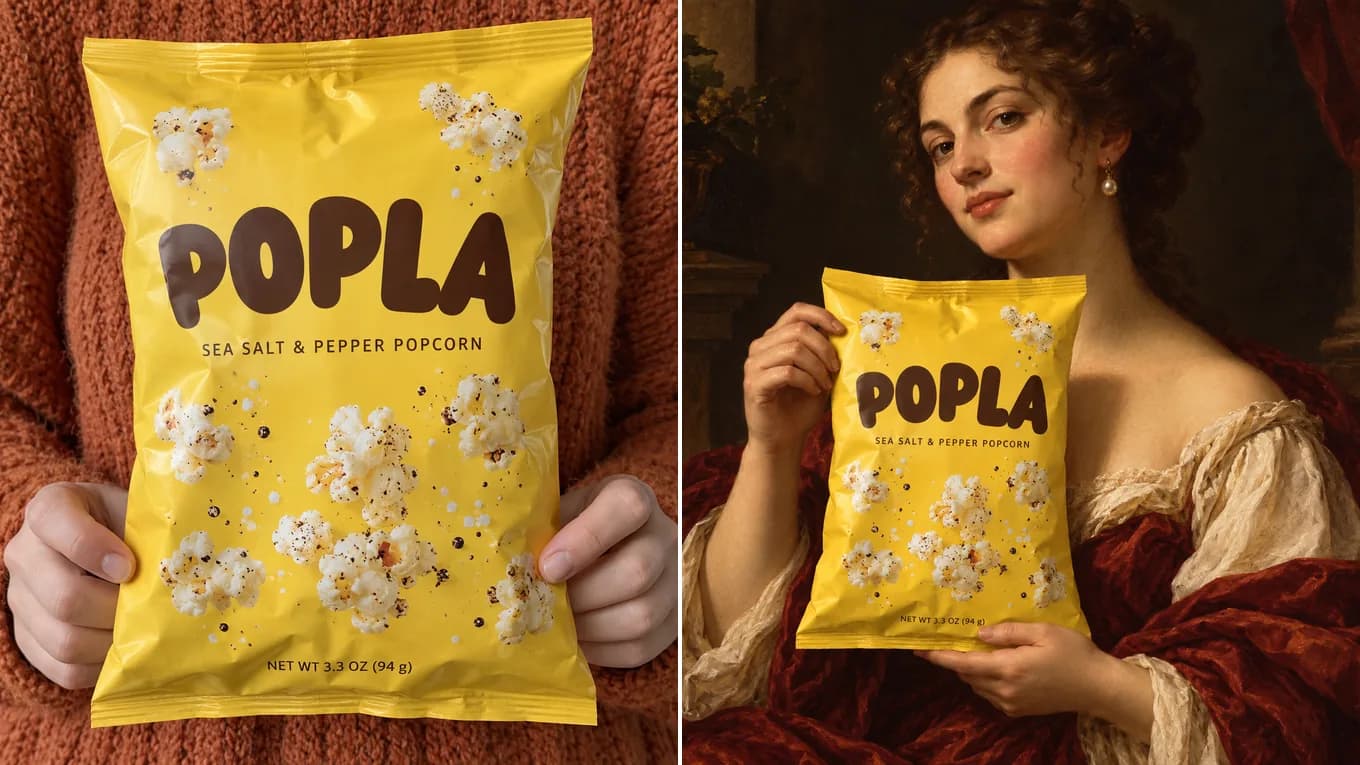
Source photoAI output
E-Commerce Advertising
Yellow snack bag restaged in a Renaissance oil portrait
Keeps the bag's color and wordmark readable while restaging it in an oil-painted portrait with dramatic side light.
Pioneered by Black Forest Labs, Flux Kontext excels at understanding environmental context, modifying lighting and scenery while keeping product packaging, typography, and human anatomy consistent.
Original Product SnapshotFlux Kontext Commercial SceneFlux Kontext Image-to-Image
Upload your photo once, pick Nano Banana 2, GPT Image 2.5, Qwen Image Edit, or Seedream 5.0 in the model selector, and compare outputs directly.
Flux Kontext Visual Showcase
Explore commercial transformations where packaging text, industrial design, and portrait lighting stay crisp. Check small print at full size.
Keeps the bag's color and wordmark readable while restaging it in an oil-painted portrait with dramatic side light.
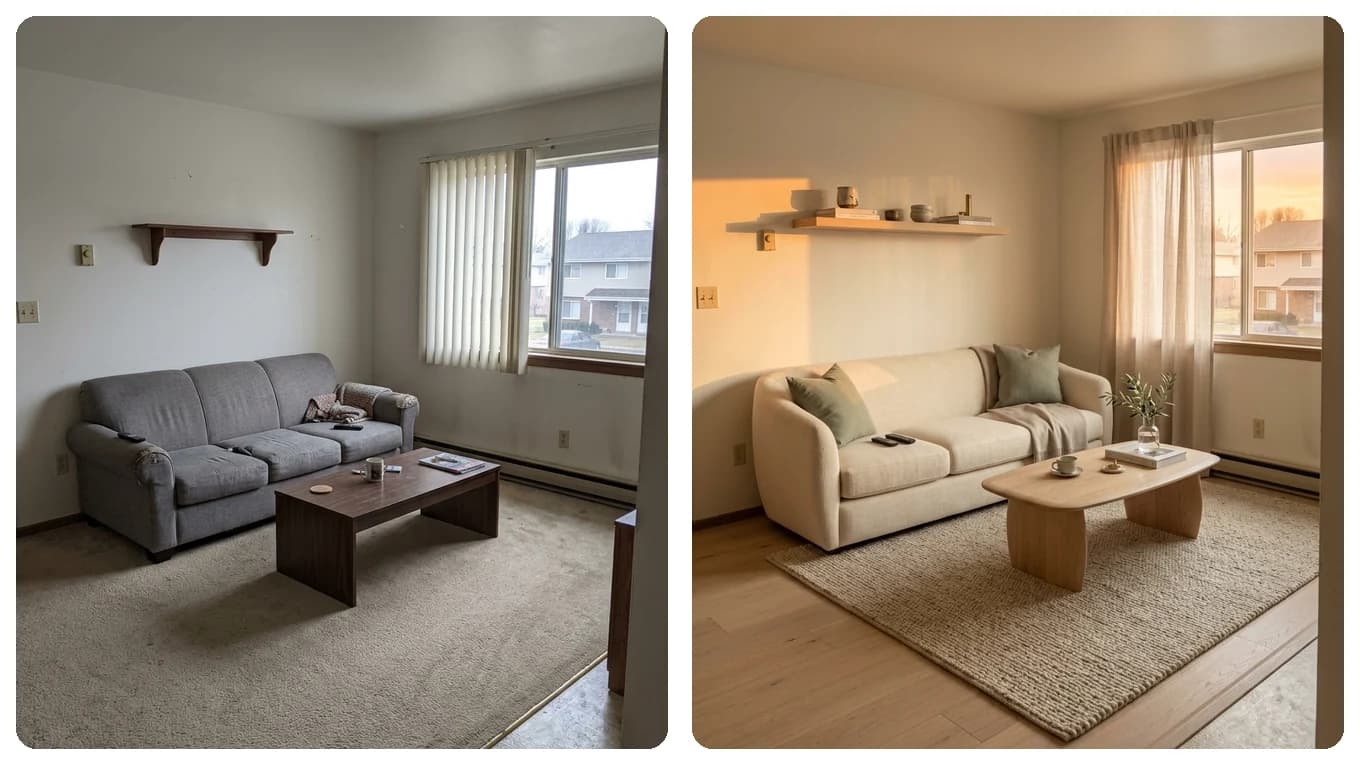
Maintains wall corners and window framing while furnishing with oak and bouclé.
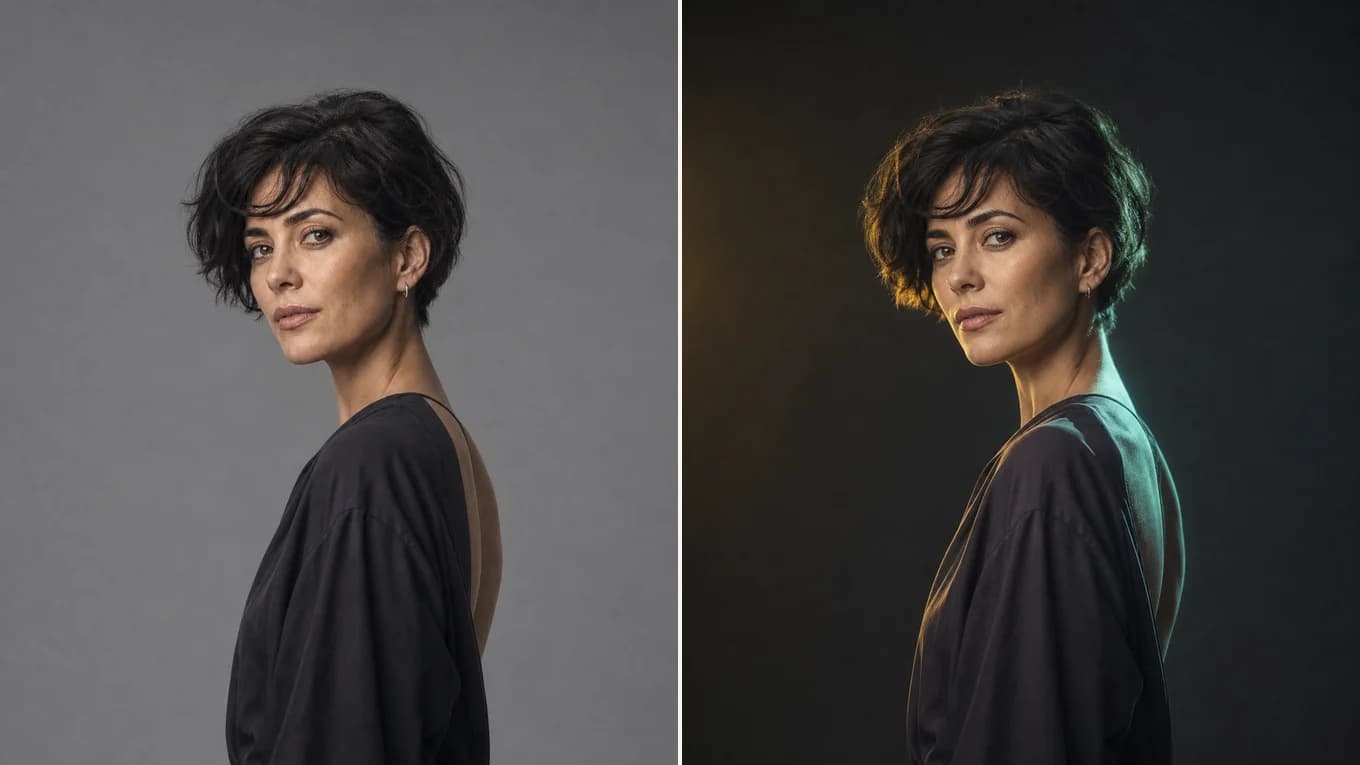
Darkens the backdrop and adds a soft key light with a cyan rim, without changing the head angle or expression.
Flux Kontext Workflow
Four steps to context-aware photo transformations.
Select Flux Kontext Dev or Pro in the studio and upload a sharp source photo.
State in your prompt: 'Keep the product logo, typography, and proportions completely exact'.
Specify studio lighting, textures (slate, marble, linen), and background depth of field.
Inspect fine lettering on the product packaging, then export in full resolution.
Reviewed byImg2Img Product Team
Published / Updated /
ReferencesOpenAI Image Generation GuideGoogle Gemini Image Generation Docs
Flux Kontext Prompts
Load any formula directly into the studio workspace.
Keep the cosmetic bottle, label typography, and metallic cap completely unchanged. Stage on a wet dark slate surface surrounded by botanical shadows and warm key light.
Naming the label typography helps reduce text drift; check small print at full size.
Keep the exact room perspective lines and window placement. Upgrade the interior with walnut wall paneling, low-profile linen sofa, and warm recessed ceiling lighting.
Maintains 3D architectural perspective.
Keep the exact model identity, hair, and pose. Change the casual t-shirt into a tailored charcoal wool blazer with realistic fabric drape.
Targeted wardrobe edit.
Explore Workflows & Models
Multi-person portrait fusion, character consistency, rapid conversational photo edits
Interior redesign, commercial product scenes, complex prompt-guided restyling
Targeted hair/outfit edits, vintage photo restoration, sign & packaging text edits
Ink-wash & anime restyling, high-fashion editorial portraits, 4K visual campaigns
Viral social media cards, 3D pop-out framing, bold retro pixel-art transformations
Edit photos with natural language prompts using our free AI image editor. Restore old photos, change outfits, relight portraits, and swap product scenes while keeping the original composition.
Convert any photo to pencil sketch, charcoal drawing, ink-wash painting, or manga line art online with AI, keeping the likeness, pose, and composition recognizable.
Restore damaged, scratched, and faded vintage photos online with AI. Remove paper creases, glare, and tears while colorizing monochrome portraits with natural skin tones.
Remove unwanted facial shadows, background glare, and hard lighting shadows from photos online with AI. Relight portraits and product shots while keeping the original subject recognizable.
Remove Instagram, TikTok, and oversaturated color filters from photos online with AI. Neutralize warm orange and magenta color casts to restore authentic skin tones and clean lighting.
Remove watermarks, logos, timestamps, and unwanted text from photos online with AI. Seamlessly reconstruct hidden background textures without blur.
Expand photos and uncrop images beyond their original borders online with AI. Extend vertical 9:16 portraits to 16:9 widescreen wallpapers with seamless continuity.
Flux Kontext FAQ
Why professional designers choose Flux Kontext for commercial work.
Flux Kontext is specifically engineered for context-aware editing—meaning it understands which parts of the image must remain untouched (like brand logos and packaging text) while freely re-imagining the surrounding environment.
Pick Flux Kontext when a product, its packaging, or its typography has to stay recognizable while the scene around it changes. For combining several people into one photo, Nano Banana 2 is the better fit.
Flux Kontext starts at 4 credits per image. The studio shows the estimate for your settings before you generate, and failed generations return the credits.
Flux models have world-class text rendering and preservation capabilities, making them the industry standard for e-commerce packaging.
Yes. It respects architectural vanishing points and structural geometry exceptionally well.
Supports standard aspect ratios up to 10 MB per file in PNG, JPEG, and WebP.